Book Details
Practical Tips and Real-World Solutions for Administering Microsoft Intune.
Key Features
● Acquire hands-on expertise in device enrollment and management.
● Develop robust security and compliance strategies with Intune.
● Gain insights into application deployment, monitoring, and reporting.
Book Description
Ultimate Microsoft Intune for Administrators is the resource for mastering Microsoft Intune and its full suite of features. No matter what device platform you manage, whether configuring security settings or optimizing the end-user experience, this comprehensive guide has it all.
Explore the comprehensive range of Microsoft Intune's capabilities with practical examples and hands-on strategies. From initial configuration to advanced implementations, this book provides the tools to accelerate your Intune deployment and ensure successful device management.
This book delves deep into key topics such as enrollment methods, device configuration profiles, endpoint security, and compliance management. Each section is designed to give you a clear, actionable understanding, enabling you to navigate challenges and make informed decisions with confidence.
By the end of this book, you will have a firm, real-world understanding of Microsoft Intune and the expertise to implement, configure, and deploy effectively within your organization. Whether refining your current setup or starting from scratch, you will be ready to take your Intune skills to the next level.
What you will learn
● Enroll and manage devices across Windows, macOS, iOS, and Android.
● Apply security, compliance, and management policies to devices and users.
● Provision, configure, and manage Windows-based Cloud PCs efficiently.
● Deploy, update, and manage applications across multiple device platforms.
● Monitor device health and generate insightful reports in Intune.
● Implement effective certificate management for secure authentication.
● Leverage Microsoft Intune Suite for advanced endpoint management.
Table of Contents
1. Introduction to Microsoft Intune
2. Getting Started with Microsoft Intune
3. Group Management and Assignment Filters
4. Windows Device Enrollment
5. Apple Device Enrollment
6. Android and Linux Device Enrollment
7. Managing Devices with Microsoft Intune
8. Performing Device Actions and Remediations
9. Windows 365 Cloud PCs
10. Application Management with Microsoft Intune
11. Securing and Configuring Applications
12. Compliance Management
13. Endpoint Security
14. User Security
15. Certificate Management
16. Monitoring and Reporting
17. Intune Suite
Index
About the Authors
Paul Winstanley has thirty years of IT experience, starting with Windows 3.1 up to Windows 11 and, hopefully, beyond. Working as a consultant in the endpoint management workspace, he has utilized Microsoft Configuration Manager for over fifteen years and Microsoft Intune for the last five. Paul assists companies with as few as a dozen employees through to multinationals, with up to 150k+, in both the public and private sectors around the globe.
David Brook has thirteen years of experience working within the IT industry, from first-line support to being a consultant and a brief stint as a product manager delivering go-to-market solutions. He is a versatile professional who works across various areas of the Microsoft stack, from endpoint management to Azure services, and has recently been working with Azure OpenAI.
Author Description
Paul Winstanley has thirty years of IT experience, starting with Windows 3.1 up to Windows 11 and, hopefully, beyond. Working as a consultant in the endpoint management workspace, he has utilized Microsoft Configuration Manager for over fifteen years and Microsoft Intune for the last five. Paul assists companies with as few as a dozen employees through to multinationals, with up to 150k+, in both the public and private sectors around the globe. He is an eight-time dual Microsoft Most Valued Professional in the Microsoft Intune and Windows 365 programs and has been part of the Microsoft community for over twelve years.
David Brook has thirteen years of experience working within the IT industry, from first-line support to being a consultant and a brief stint as a product manager delivering go-to-market solutions. He is a versatile professional who works across various areas of the Microsoft stack, from endpoint management to Azure services, and has recently been working with Azure OpenAI. He has worked in both the public and the private sectors with clients ranging from sixty devices all the way up to global organizations spanning over 80k+ devices. He has recently joined the ranks of the Microsoft Most Valued Professional program, becoming a Microsoft Intune MVP in 2024.
Read this book in our EasyReadz App for Mobile or Tablet devices
To read this book on Windows or Mac based desktops or laptops:


 Your cart is empty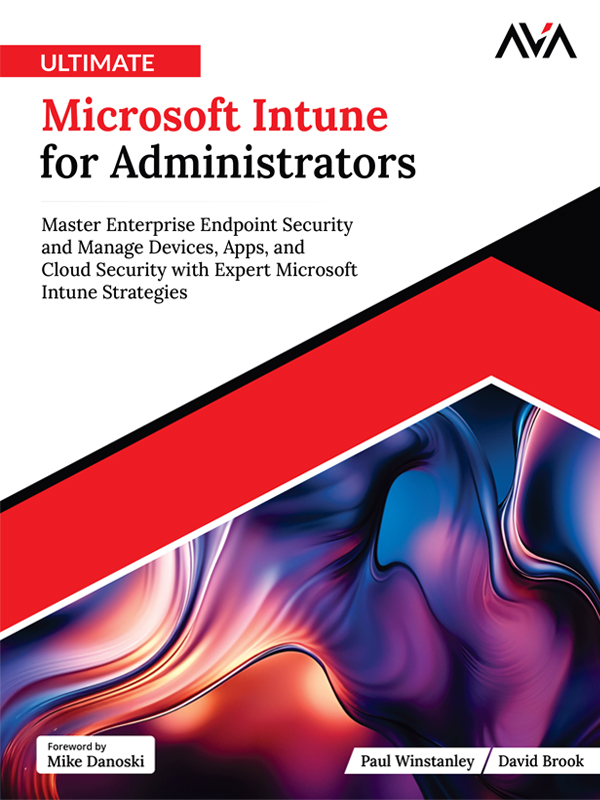
 Sneak Preview